


Page 7 - KNX Software
P. 7
KNX TUTOR SEMINAR

                  1.5  ETS Hotline and Reporting Errors
                  If errors are detected in ETS, they shall be reported in writing directly to KNX Association.
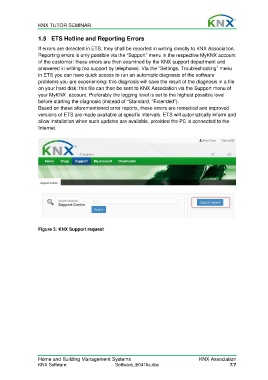
                  Reporting errors is only possible via the “Support” menu in the respective MyKNX account
                  of the customer: these errors are then examined by the KNX support department and
                  answered in writing (no support by telephone). Via the ”Settings, Troubleshooting” menu
                  in ETS you can have quick access to run an automatic diagnosis of the software
                  problems you are experiencing: this diagnosis will save the result of the diagnosis in a file
                  on your hard disk: this file can then be sent to KNX Association via the Support menu of
                  your MyKNX  account. Preferably the logging level is set to the highest possible level
                  before starting the diagnosis (instead of “Standard, “Extended”).
                  Based on these aforementioned error reports, these errors are remedied and improved
                  versions of ETS are made available at specific intervals. ETS will automatically inform and
                  allow installation when such updates are available, provided the PC is connected to the
                  Internet.


                  Figure 5: KNX Support request


                  Home and Building Management Systems                                   KNX Association
                  KNX Software                      Software_E0416a.doc                                7/7

