


Page 12 - MBDCF USER MANUAL_March2021
P. 12
Below the box where you entered your email address is another box                   MAIN SYSTEM PAGE FAMILIARIZATION
       labeled ‘Password’.  Click the box and type your password.


       After entering your Email Address and Password, you may now click

       the button ‘Sign-in’. Note that the Password is case-sensitive, which
       means that you must enter the correct case or format.


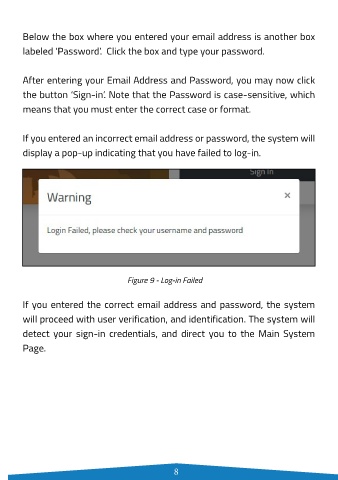
       If you entered an incorrect email address or password, the system will

       display a pop-up indicating that you have failed to log-in.


                                                                                                                   Figure 10 - Main System Page


                                                                                           The Main System Page shows the Side Bar and the list of pages that

                                                                                           may be accessed by the user. By default, the page will display the
                                                                                           Dashboard containing the summary of the data and compliance report
                                                                                           of LGUs on a particular quarter.

                                 Figure 9 - Log-in Failed
                                                                                           If you are a user from the LGU, the format of the Main System Page
       If you entered the correct email address and password, the system                   will look like the one shown in Figure 10.
       will proceed with user verification, and identification. The system will

       detect your sign-in credentials, and direct you to the Main System                  The following are the pages that may be accessed from the main page
       Page.                                                                               by the user/s: a) Statistics where the Dashboard tab is under; b) Data
                                                                                           Capture Forms where the Local Government Unit tab is under;  and c)
                                                                                           Reports. Note that the list of pages in the Side Bar varies depending
                                                                                           on the access level.


                                            8                                                                                   9

