


Page 133 - digitalliteracy
P. 133
6.3  Other Actions You Can Take to Protect Your Privacy


 •  When you purchase anything online or use   Some spam might appear to be from a
 a website that requires you to enter any   legitimate company but  was actually
 financial information, make sure that web-  sent by someone else; it may contain
 site has a URL that begins with ht t ps : //    destructive malware/spyware or a
 (a secure website). Such websites may also   computer virus. A new form of these
 have a padlock icon at the bottom of the   destructive e-mail  messages  appear
 page.                 to be sent from smartphones or from
 •  Never click “Agree” or “OK” to close a   your cell phone company but are actu-
 window. Instead, click the “X” in the corner   ally fake cellular  company messages
 of the window or press Alt+F4 on your   and may carry malware or viruses.
 keyboard.
 •  Be careful of “free” music and file-sharing   The following  are some tips to help
 programs. Make sure you understand   you avoid getting malware/spyware or
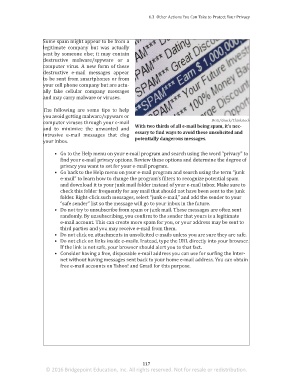
                                                                                              Britt/iStock/Thinkstock
 what conditions or additional software are   computer viruses through your e-mail
                                                              With two thirds of all e-mail being spam, it’s nec-
 included with the free program.  and to  minimize  the unwanted  and
                                                              essary to find ways to avoid these unsolicited and
                       intrusive e-mail  messages  that  clog
                                                              potentially dangerous messages.
                       your inbox.
 Privacy on Shared Computers
                            •  Go to the Help menu on your e-mail program and search using the word “privacy” to
 When you use a computer at work or at a public   find your e-mail privacy options. Review these options and determine the degree of
 library, make sure you have permission  to use it   privacy you want to set for your e-mail program.
 for your intended purpose and remember that the   •  Go back to the Help menu on your e-mail program and search using the term “junk
 computer owner has the right to access all data and   e-mail” to learn how to change the program’s filters to recognize potential spam
 information on that  computer. To ensure privacy,   and download it to your junk mail folder instead of your e-mail inbox. Make sure to
 even on  your  own  personal  computer,  two good   check this folder frequently for any mail that should not have been sent to the junk
 rules of thumb are to never share personal identifi-  folder. Right-click such messages, select “junk e-mail,” and add the sender to your
 cation information or financial information in an e-mail and never write anything you would   “safe sender” list so the message will go to your inbox in the future.
 be embarrassed to have someone find and read later. As the old saying goes, “It’s better to be   •  Do not try to unsubscribe from spam or junk mail. These messages are often sent
 safe than sorry.”            randomly. By unsubscribing, you confirm to the sender that yours is a legitimate
                              e-mail account. This can create more spam for you, or your address may be sent to
                              third parties and you may receive e-mail from them.
 Dealing With Spam          •  Do not click on attachments in unsolicited e-mails unless you are sure they are safe.
                            •  Do not click on links inside e-mails. Instead, type the URL directly into your browser.
                              If the link is not safe, your browser should alert you to that fact.
 E-mail is the most popular form of online communication, but not all electronic messages
                            •  Consider having a free, disposable e-mail address you can use for surfing the Inter-
 involve subjects you want to read about. The computer security software company Kaspersky
                              net without having messages sent back to your home e-mail address. You can obtain
 recently reported that 66.76% of all e-mail messages in 2014 were spam (Vergelis, Shcherba-
                              free e-mail accounts on Yahoo! and Gmail for this purpose.
 kova, & Demidova, 2015). Spam is an unsolicited and undesired or illegal e-mail message.
 Not all spam is a computer threat. Many of the e-mails categorized as spam are legitimate and
 legal advertisements for products and services. However, they are e-mail messages that you
 did not request or are for products or services you may not want, and they intrude on your
 privacy. Their biggest threats are that they fill up your e-mail inbox and take a great deal of
 your time to review each time you check your e-mail. These spam e-mail messages arrive
 daily often because marketers have sold your e-mail address to third parties, who use these
 addresses to search for new customers.


                                                                 117
                        © 2016 Bridgepoint Education, Inc. All rights reserved. Not for resale or redistribution.


       sol82612_06_m06_097-120.indd   117                                                                            6/29/16   5:14 PM

