


Page 128 - digitalliteracy
P. 128
6.2  Remaining Safe and Secure Online


                       You can protect yourself from most malware/spyware by making sure you have a firewall on
                       your network router that protects your computer from others trying to get in and by install-
                       ing a comprehensive security program on your computer. Some popular security software
                       packages are programs such as Norton Security, McAfee Internet Security, and Kaspersky
                       Total Security. These packages often include protection against multiple threats to your com-
                       puter, including various types of malware/spyware and computer viruses discussed in the
                       next section. Once you have installed this software, make sure to set the program to automati-
                       cally install updates at least weekly, and perform a full computer system scan every month
                       to make sure you continue to be protected. You can learn more about malware/spyware and
                       how to protect your computer from the Microsoft Safety & Security Center at https://www
                       .microsoft.com/en-us/safety/pc-security/spyware-whatis.aspx.


                       Computer Virus

                       We all know what a human virus is, which is why we cringe when someone sneezes too close
                       to us. A computer virus can be equally damaging, and you should take precautions to protect
                       your  computer. Hundreds  of  thousands of  viruses  exist, and your  computer  can become
                       infected when you download software, open e-mail, or copy an infected file to your computer.
                       A computer virus can corrupt or delete data on your computer, use your e-mail program to
                       send messages containing a virus to people on your e-mail contact list, or even erase all the
                       files on your computer hard drive. You can often recognize you have a computer virus when
                       your computer does not operate normally and performs strange, unwanted actions such as
                       typing rows of the same letter or opening web pages or programs on its own.

                       Computer  viruses  are often spread
                       through attachments or links in e-mail
                       messages or through instant messag-
                       ing. Never open an attachment on an
                       e-mail from someone you do not know
                       or  an attachment you do  not expect,
                       and do not  click  on a  message or a
                       link  in an  e-mail  from someone who
                       is unfamiliar to you. Viruses can also
                       be  disguised  as funny images, greet-
                       ing cards, or audio and video files and
                       can be hidden in free software or other
                       files you download from the Internet.
                                                                                            Ullstein bild/Getty Images
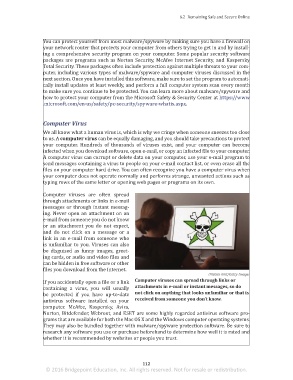
                                                              Computer viruses can spread through links or
                       If you accidentally open a file or a link
                                                              attachments in e-mail or instant messages, so do
                       containing a virus,  you will  usually
                                                              not click on anything that looks unfamiliar or that is
                       be protected  if  you have  up-to-date
                                                              received from someone you don’t know.
                       antivirus  software installed  on your
                       computer.  McAfee, Kaspersky,  Avira,
                       Norton, Bitdefender, Webroot, and ESET are some highly regarded antivirus software pro-
                       grams that are available for both the Mac OS X and the Windows computer operating systems.
                       They may also be bundled together with malware/spyware protection software. Be sure to
                       research any software you use or purchase beforehand to determine how well it is rated and
                       whether it is recommended by websites or people you trust.


                                                                 112
                        © 2016 Bridgepoint Education, Inc. All rights reserved. Not for resale or redistribution.


       sol82612_06_m06_097-120.indd   112                                                                            6/29/16   5:14 PM

