


Page 66 - digitalliteracy
P. 66
3.1  What Is a Network, and How Do You Join One?


                       A 2014 Pew Research Center analysis of U.S. census data showed that 84% of U.S. households
                       own a computer, and 73% of U.S. households have a computer with a broadband Internet
                       connection. However, there is a wide variance across the country; 21% of households have
                       no regular Internet access at all, although they may have free access at a local library or else-
                       where (Rainie & Cohn, 2014). A Closer Look: Wait. The Internet and the World Wide Web Aren’t
                       the Same Thing? outlines the differences between what are known, respectively, as the Inter-
                       net and the World Wide Web.

                       Everywhere you go, people are connected to the Internet. This is a good indicator that getting
                       online is pretty quick and easy to do. To use the Internet, your computer must be Internet
                       ready. This means the computer must have hardware such as an Ethernet card that allows it
                       to connect to the Internet. The vast majority of computers available today are Internet ready.
                       If you have any questions about your computer, however, be sure to check with the computer
                       sales or service person where you purchased your device. The type of connection you have
                       depends, in part, on where you want to use the device: at home, at a library or coffee shop, or
                       even wherever you are at any given moment. Let’s take a look at your options.


                       Internet Access at Home


                       Given the sheer amount of time you will
                       spend  working on your  Ashford Uni-
                       versity courses,  it  is necessary  to set
                       up a home network. To do so, you will
                       need to contact a local Internet service
                       provider (ISP) to set up an account. In
                       most instances, a technician will come
                       to your home and  install  a  modem
                       and a router. The modem is the device
                       that  connects with  your ISP  through
                       a telephone  landline;  the  router con-
                       nects the computer to the modem, to
                       other  computers  in the home, or  to
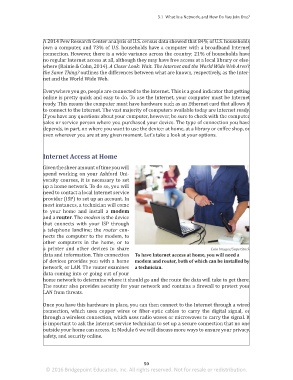
                       a printer  and other  devices to share                                Caia Images/SuperStock
                       data and information. This connection  To have Internet access at home, you will need a
                       of devices provides you with a home  modem and router, both of which can be installed by
                       network, or LAN. The router examines  a technician.
                       data coming into or going out of your
                       home network to determine where it should go and the route the data will take to get there.
                       The router also provides security for your network and contains a firewall to protect your
                       LAN from threats.


                       Once you have this hardware in place, you can then connect to the Internet through a wired
                       connection, which uses copper wires or fiber-optic cables  to carry the digital  signal,  or
                       through a wireless connection, which uses radio waves or microwaves to carry the signal. It
                       is important to ask the Internet service technician to set up a secure connection that no one
                       outside your home can access. In Module 6 we will discuss more ways to ensure your privacy,
                       safety, and security online.


                                                                 50
                        © 2016 Bridgepoint Education, Inc. All rights reserved. Not for resale or redistribution.


       sol82612_03_m03_047-062.indd   50                                                                             6/29/16   5:10 PM

