


Page 70 - digitalliteracy
P. 70
3.1  What Is a Network, and How Do You Join One?


                       Internet Access on the Go


                       Another  popular option is  to have a
                       mobile or  portable  hotspot, which
                       allows you to connect digital  devices
                       such as your computer or tablet to the
                       Internet—to create a traveling hotspot
                       you can use whenever you are in the cell
                       phone company’s service area. A USB
                       Internet device, called  a  USB  Inter-
                       net stick, acts like a modem and plugs
                       into your laptop computer through a
                       USB port, giving you wireless Internet
                       service. In some instances, even your
                       smartphone can serve as the wireless
                                                                               Sean Gallup/Getty Images News/Getty Images
                       hotspot to your computer.
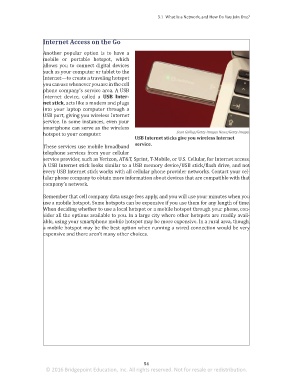
                                                              USB Internet sticks give you wireless Internet
                                                              service.
                       These services use mobile broadband
                       telephone services from your cellular
                       service provider, such as Verizon, AT&T, Sprint, T-Mobile, or U.S. Cellular, for Internet access.
                       A USB Internet stick looks similar to a USB memory device/USB stick/flash drive, and not
                       every USB Internet stick works with all cellular phone provider networks. Contact your cel-
                       lular phone company to obtain more information about devices that are compatible with that
                       company’s network.


                       Remember that cell company data usage fees apply, and you will use your minutes when you
                       use a mobile hotspot. Some hotspots can be expensive if you use them for any length of time.
                       When deciding whether to use a local hotspot or a mobile hotspot through your phone, con-
                       sider all the options available to you. In a large city where other hotspots are readily avail-
                       able, using your smartphone mobile hotspot may be more expensive. In a rural area, though,
                       a mobile hotspot may be the best option when running a wired connection would be very
                       expensive and there aren’t many other choices.


                                                                 54
                        © 2016 Bridgepoint Education, Inc. All rights reserved. Not for resale or redistribution.


       sol82612_03_m03_047-062.indd   54                                                                             6/29/16   5:10 PM

