


Page 134 - Computing E-Book Grade 7
P. 134
The City School  2021-2022


             5.16.  Event Handling in Python


             Events in python are more likely we have in other programming languages. They also
             execute at any specific action/signal occurred for i.e. hovering a mouse at a certain

             point, clicks of the mouse either right click or left click and so on.
             A Tkinter application runs most of its time inside an event loop, which is entered via the

             mainloop method. It waits for events to happen. Events can be key presses or mouse
             operations by the user.

             Tkinter provides a mechanism to let the programmer deal with events. For each
             widget, it’s possible to bind Python functions and methods to an event.

             widget.bind(event, handler) If the defined event occurs in the widget, the handler
             function is called with an event object, describing the event.


             Sample Code-1


            from tkinter import*

            def hello (event):
                print(“Single click,  Button-1”)

            def quit(event):
                print(“Double click, so let’s

            stop”)
                import sys;sys.exit()

                widget=Button(None,text=’Mouse
            Clicks’)

            widget.pack()
            widget.bind(‘<Button-1>’,hello)

            widget.bind(‘<Double-1>’,quit)
            widget.mainloop()


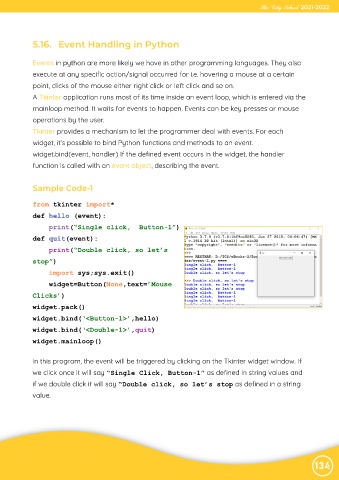
            In this program, the event will be triggered by clicking on the Tkinter widget window. If
            we click once it will say “Single Click, Button-1” as defined in string values and

            if we double click it will say “Double click, so let’s stop as defined in a string

            value.


                                                                                                                134

