


Page 132 - Computing E-Book Grade 7
P. 132
The City School  2021-2022


             from tkinter import*

             master=Tk()
             canvas_width=80
             canvas_height=40

             w=Canvas(master, width=canvas_

             width,height=canvas_height)
             w.pack()
             y=int(canvas_height/2)

             w.create_line(0,y,canvas_width,y,fill=”#476042”)

             mainloop()


             Sample Code-Creating Rectangle


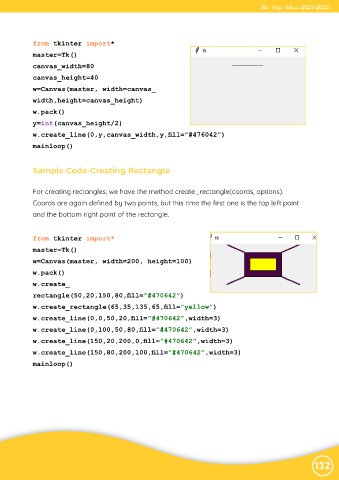
             For creating rectangles, we have the method create_rectangle(coords, options).
             Coords are again defined by two points, but this time the first one is the top left point

             and the bottom right point of the rectangle.


             from tkinter import*
             master=Tk()

             w=Canvas(master, width=200, height=100)
             w.pack()

             w.create_
             rectangle(50,20,150,80,fill=”#470642”)

             w.create_rectangle(65,35,135,65,fill=”yellow”)
             w.create_line(0,0,50,20,fill=”#470642”,width=3)

             w.create_line(0,100,50,80,fill=”#470642”,width=3)
             w.create_line(150,20,200,0,fill=”#470642”,width=3)

             w.create_line(150,80,200,100,fill=”#470642”,width=3)
             mainloop()


                                                                                                                132

