


Page 121 - Computing E-Book Grade 6
P. 121
The City School  2021-2022


             2.  Click on the shape on which you want to apply the formatting


                                                                                                                    Modular Designing


             4.10.  Formatting Shapes

             Rulers


             Each drawing window has vertical and horizontal rulers that show measurements at
             the scale of the drawing.

             1.  The intervals of the ruler correspond to the measurement unit you set in the Page

                 Setup dialogue box.
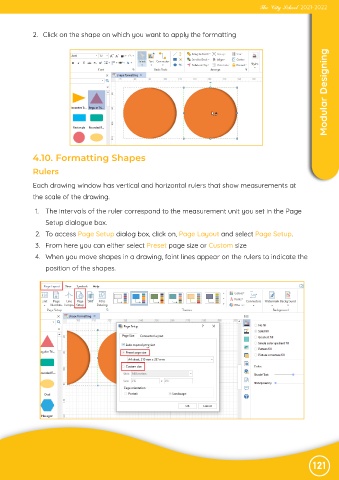
             2.  To access Page Setup dialog box, click on, Page Layout and select Page Setup.

             3.  From here you can either select Preset page size or Custom size
             4.  When you move shapes in a drawing, faint lines appear on the rulers to indicate the

                 position of the shapes.


                                                                                                               121

