


Page 120 - Computing E-Book Grade 6
P. 120
The City School  2021-2022


             Style

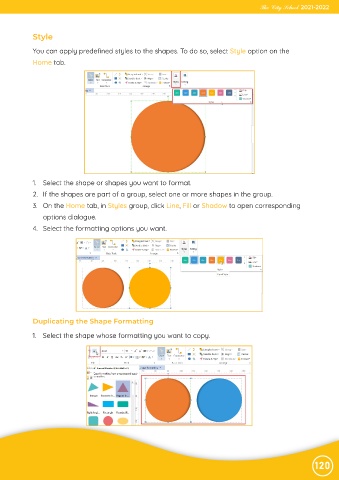
             You can apply predefined styles to the shapes. To do so, select Style option on the
             Home tab.


             1.  Select the shape or shapes you want to format.
             2.  If the shapes are part of a group, select one or more shapes in the group.

             3.  On the Home tab, in Styles group, click Line, Fill or Shadow to open corresponding
                options dialogue.

             4.  Select the formatting options you want.


             Duplicating the Shape Formatting

            1.  Select the shape whose formatting you want to copy.


                                                                                                                120

