


Page 130 - Computing E-Book Grade 6
P. 130
The City School  2021-2022


             1.  Quick Access Toolbar


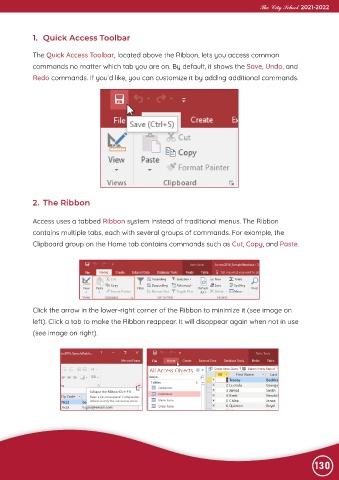
             The Quick Access Toolbar, located above the Ribbon, lets you access common
             commands no matter which tab you are on. By default, it shows the Save, Undo, and

             Redo commands. If you’d like, you can customize it by adding additional commands.


             2.  The Ribbon


             Access uses a tabbed Ribbon system instead of traditional menus. The Ribbon

             contains multiple tabs, each with several groups of commands. For example, the
             Clipboard group on the Home tab contains commands such as Cut, Copy, and Paste.


             Click the arrow in the lower-right corner of the Ribbon to minimize it (see image on
             left). Click a tab to make the Ribbon reappear. It will disappear again when not in use

             (see image on right).


                                                                                                                130

