


Page 267 - Windows 10 May 2019 Update The Missing Manual: The Book That Should Have Been in the Box
P. 267
Background (Wallpaper)


                Windows comes with a host of desktop pictures, patterns, and colors for
                your viewing pleasure. You want widescreen images for your monitor? You
                got ’em. Want something gritty, artsy, in black and white? It’s there, too.

                And you can use any picture you’d like as your background as well.

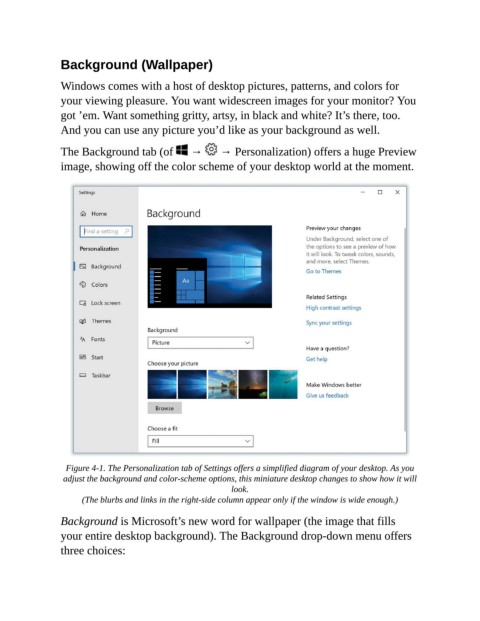
                The Background tab (of   →   → Personalization) offers a huge Preview
                image, showing off the color scheme of your desktop world at the moment.


                  Figure 4-1. The Personalization tab of Settings offers a simplified diagram of your desktop. As you
                 adjust the background and color-scheme options, this miniature desktop changes to show how it will
                                                            look.

                      (The blurbs and links in the right-side column appear only if the window is wide enough.)

                Background is Microsoft’s new word for wallpaper (the image that fills
                your entire desktop background). The Background drop-down menu offers

                three choices:

