


Page 322 - Windows 10 May 2019 Update The Missing Manual: The Book That Should Have Been in the Box
P. 322
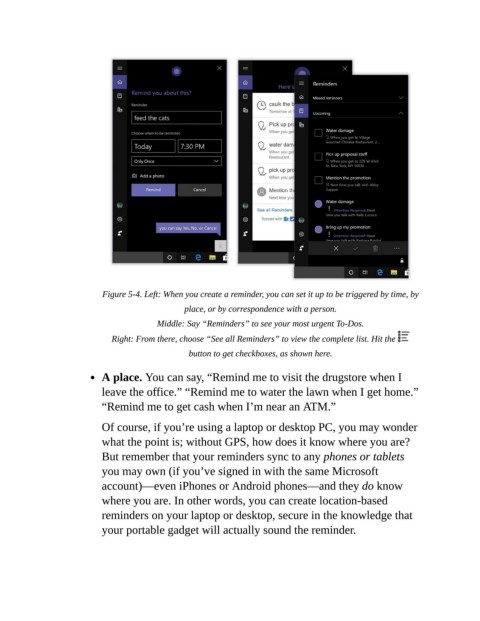
Figure 5-4. Left: When you create a reminder, you can set it up to be triggered by time, by
                                                place, or by correspondence with a person.

                                         Middle: Say “Reminders” to see your most urgent To-Dos.

                             Right: From there, choose “See all Reminders” to view the complete list. Hit the

                                                 button to get checkboxes, as shown here.

                           A place. You can say, “Remind me to visit the drugstore when I
                           leave the office.” “Remind me to water the lawn when I get home.”

                           “Remind me to get cash when I’m near an ATM.”

                           Of course, if you’re using a laptop or desktop PC, you may wonder
                           what the point is; without GPS, how does it know where you are?

                           But remember that your reminders sync to any phones or tablets
                           you may own (if you’ve signed in with the same Microsoft
                           account)—even iPhones or Android phones—and they do know

                           where you are. In other words, you can create location-based
                           reminders on your laptop or desktop, secure in the knowledge that

                           your portable gadget will actually sound the reminder.

