


Page 555 - Windows 10 May 2019 Update The Missing Manual: The Book That Should Have Been in the Box
P. 555
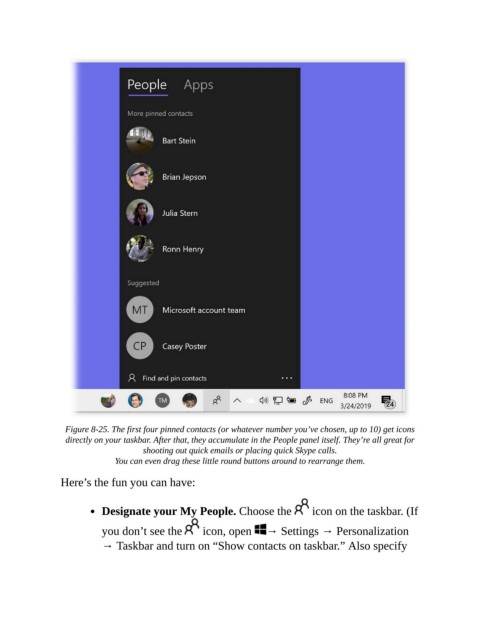
Figure 8-25. The first four pinned contacts (or whatever number you’ve chosen, up to 10) get icons
                  directly on your taskbar. After that, they accumulate in the People panel itself. They’re all great for
                                     shooting out quick emails or placing quick Skype calls.

                              You can even drag these little round buttons around to rearrange them.

                Here’s the fun you can have:


                           Designate your My People. Choose the                  icon on the taskbar. (If


                           you don’t see the         icon, open  → Settings → Personalization
                           → Taskbar and turn on “Show contacts on taskbar.” Also specify

