


Page 620 - Windows 10 May 2019 Update The Missing Manual: The Book That Should Have Been in the Box
P. 620
Explorer logo. It’s also preinstalled on the right side of the Start menu.


                  Tip

                  There’s one other sneaky way to open desktop Edge, one that may actually be quicker sometimes.
                  Just type a web address—a URL (Uniform Resource Locator)—into any File Explorer window’s
                  address bar, and then hit Enter. Edge opens automatically and pulls up that page. (A web page
                  URL usually begins with the prefix http://, but you can leave that part off when typing into the
                  address bar.)


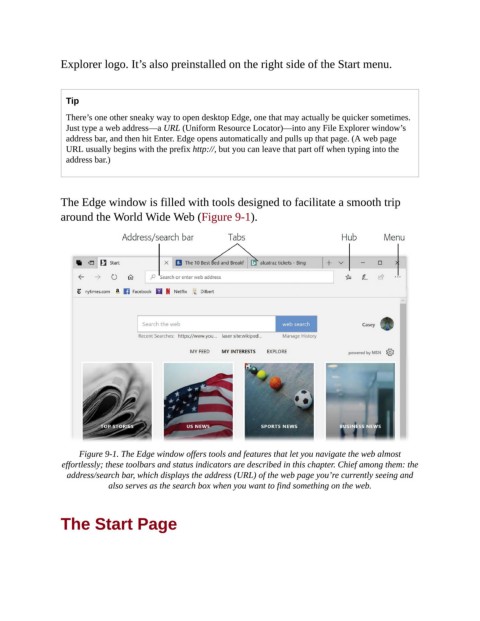
                The Edge window is filled with tools designed to facilitate a smooth trip

                around the World Wide Web (Figure 9-1).


                     Figure 9-1. The Edge window offers tools and features that let you navigate the web almost
                 effortlessly; these toolbars and status indicators are described in this chapter. Chief among them: the
                  address/search bar, which displays the address (URL) of the web page you’re currently seeing and
                             also serves as the search box when you want to find something on the web.


                The Start Page

