


Page 758 - Windows 10 May 2019 Update The Missing Manual: The Book That Should Have Been in the Box
P. 758
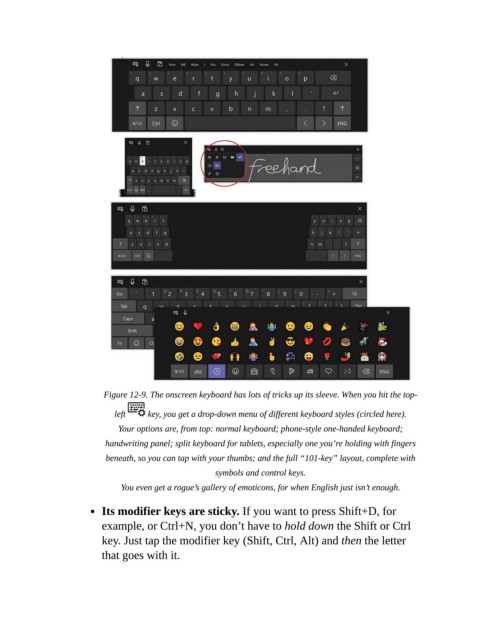
Figure 12-9. The onscreen keyboard has lots of tricks up its sleeve. When you hit the top-

                              left     key, you get a drop-down menu of different keyboard styles (circled here).

                               Your options are, from top: normal keyboard; phone-style one-handed keyboard;
                            handwriting panel; split keyboard for tablets, especially one you’re holding with fingers
                            beneath, so you can tap with your thumbs; and the full “101-key” layout, complete with

                                                        symbols and control keys.

                                You even get a rogue’s gallery of emoticons, for when English just isn’t enough.

                           Its modifier keys are sticky. If you want to press Shift+D, for

                           example, or Ctrl+N, you don’t have to hold down the Shift or Ctrl
                           key. Just tap the modifier key (Shift, Ctrl, Alt) and then the letter

                           that goes with it.

