


Page 765 - Windows 10 May 2019 Update The Missing Manual: The Book That Should Have Been in the Box
P. 765
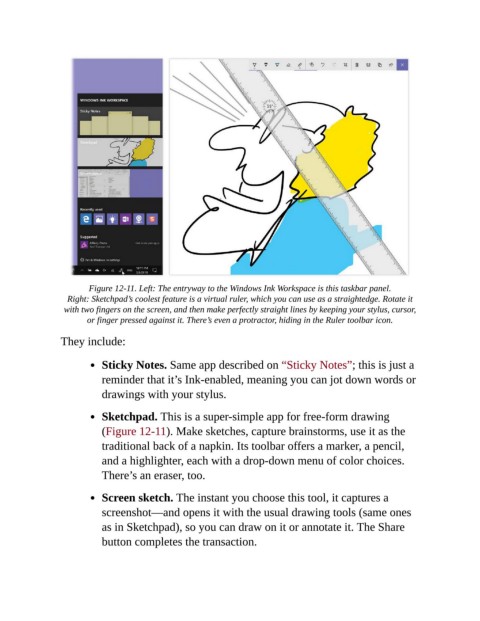
Figure 12-11. Left: The entryway to the Windows Ink Workspace is this taskbar panel.

                  Right: Sketchpad’s coolest feature is a virtual ruler, which you can use as a straightedge. Rotate it
                 with two fingers on the screen, and then make perfectly straight lines by keeping your stylus, cursor,
                       or finger pressed against it. There’s even a protractor, hiding in the Ruler toolbar icon.

                They include:


                           Sticky Notes. Same app described on “Sticky Notes”; this is just a

                           reminder that it’s Ink-enabled, meaning you can jot down words or
                           drawings with your stylus.

                           Sketchpad. This is a super-simple app for free-form drawing

                           (Figure 12-11). Make sketches, capture brainstorms, use it as the
                           traditional back of a napkin. Its toolbar offers a marker, a pencil,
                           and a highlighter, each with a drop-down menu of color choices.

                           There’s an eraser, too.

                           Screen sketch. The instant you choose this tool, it captures a

                           screenshot—and opens it with the usual drawing tools (same ones
                           as in Sketchpad), so you can draw on it or annotate it. The Share
                           button completes the transaction.

