


Page 826 - Windows 10 May 2019 Update The Missing Manual: The Book That Should Have Been in the Box
P. 826
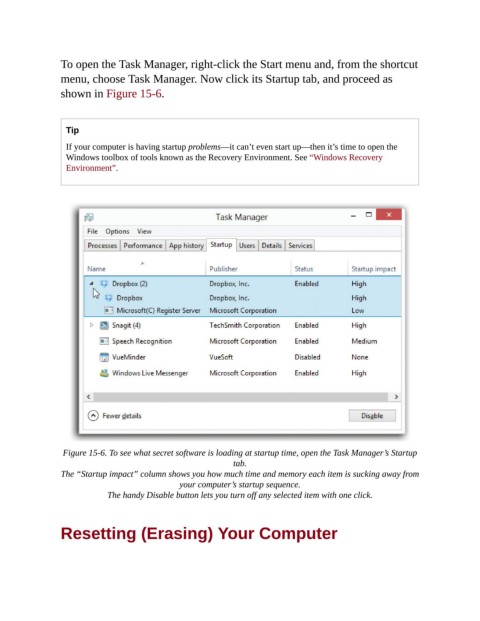
To open the Task Manager, right-click the Start menu and, from the shortcut

                menu, choose Task Manager. Now click its Startup tab, and proceed as
                shown in Figure 15-6.


                  Tip
                  If your computer is having startup problems—it can’t even start up—then it’s time to open the
                  Windows toolbox of tools known as the Recovery Environment. See “Windows Recovery
                  Environment”.


                 Figure 15-6. To see what secret software is loading at startup time, open the Task Manager’s Startup
                                                            tab.

                The “Startup impact” column shows you how much time and memory each item is sucking away from
                                               your computer’s startup sequence.

                            The handy Disable button lets you turn off any selected item with one click.


                Resetting (Erasing) Your Computer

