


Page 860 - Windows 10 May 2019 Update The Missing Manual: The Book That Should Have Been in the Box
P. 860
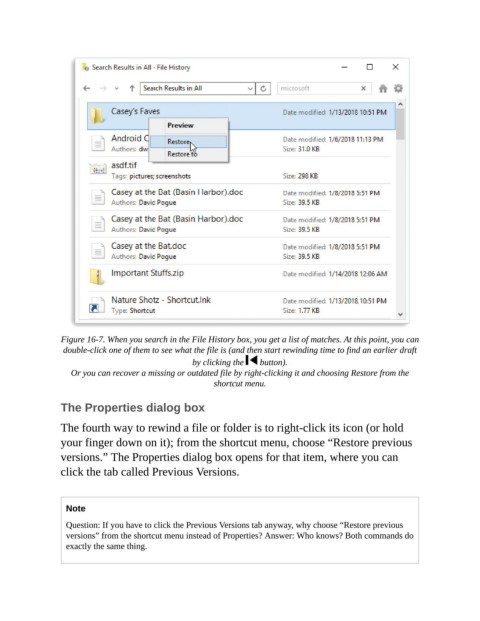
Figure 16-7. When you search in the File History box, you get a list of matches. At this point, you can
                 double-click one of them to see what the file is (and then start rewinding time to find an earlier draft
                                                  by clicking the    button).

                   Or you can recover a missing or outdated file by right-clicking it and choosing Restore from the
                                                        shortcut menu.


                The Properties dialog box

                The fourth way to rewind a file or folder is to right-click its icon (or hold

                your finger down on it); from the shortcut menu, choose “Restore previous
                versions.” The Properties dialog box opens for that item, where you can
                click the tab called Previous Versions.


                  Note

                  Question: If you have to click the Previous Versions tab anyway, why choose “Restore previous
                  versions” from the shortcut menu instead of Properties? Answer: Who knows? Both commands do
                  exactly the same thing.

