


Page 913 - Windows 10 May 2019 Update The Missing Manual: The Book That Should Have Been in the Box
P. 913
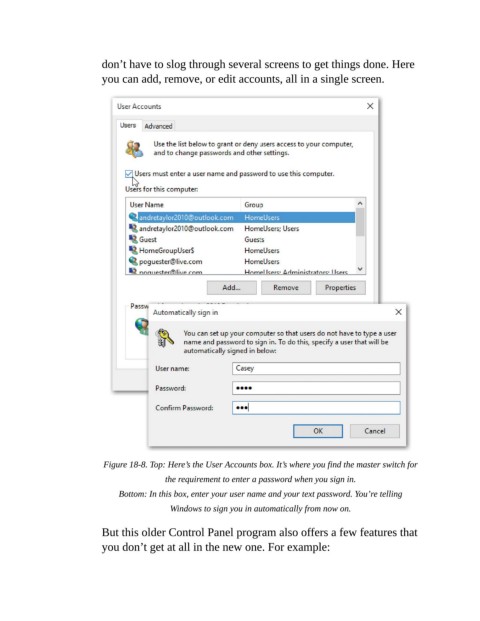
don’t have to slog through several screens to get things done. Here

                           you can add, remove, or edit accounts, all in a single screen.


                           Figure 18-8. Top: Here’s the User Accounts box. It’s where you find the master switch for

                                           the requirement to enter a password when you sign in.

                               Bottom: In this box, enter your user name and your text password. You’re telling
                                            Windows to sign you in automatically from now on.


                           But this older Control Panel program also offers a few features that
                           you don’t get at all in the new one. For example:

