


Page 938 - Windows 10 May 2019 Update The Missing Manual: The Book That Should Have Been in the Box
P. 938
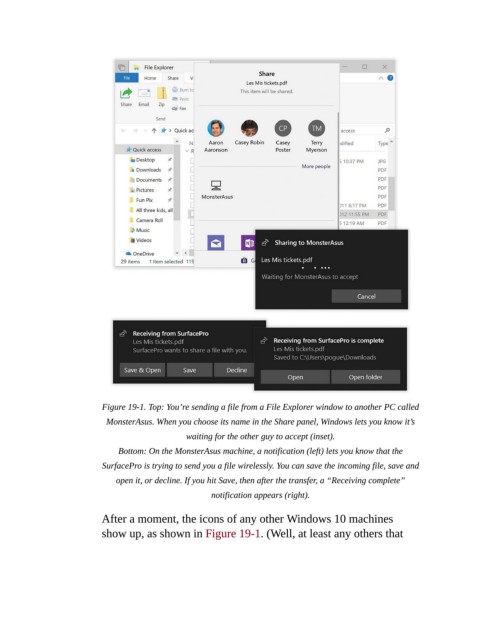
Figure 19-1. Top: You’re sending a file from a File Explorer window to another PC called
                            MonsterAsus. When you choose its name in the Share panel, Windows lets you know it’s

                                                waiting for the other guy to accept (inset).

                               Bottom: On the MonsterAsus machine, a notification (left) lets you know that the

                           SurfacePro is trying to send you a file wirelessly. You can save the incoming file, save and
                               open it, or decline. If you hit Save, then after the transfer, a “Receiving complete”
                                                       notification appears (right).


                           After a moment, the icons of any other Windows 10 machines
                           show up, as shown in Figure 19-1. (Well, at least any others that

