


Page 942 - Windows 10 May 2019 Update The Missing Manual: The Book That Should Have Been in the Box
P. 942
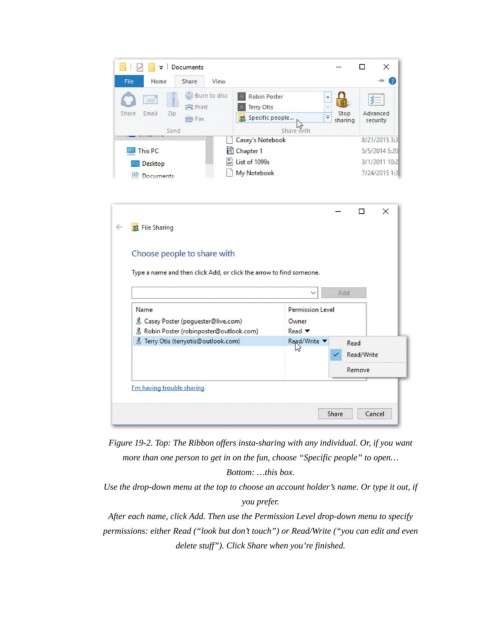
Figure 19-2. Top: The Ribbon offers insta-sharing with any individual. Or, if you want
                                more than one person to get in on the fun, choose “Specific people” to open…

                                                           Bottom: …this box.

                           Use the drop-down menu at the top to choose an account holder’s name. Or type it out, if
                                                               you prefer.

                             After each name, click Add. Then use the Permission Level drop-down menu to specify
                           permissions: either Read (“look but don’t touch”) or Read/Write (“you can edit and even
                                              delete stuff”). Click Share when you’re finished.

