


Page 38 - REC :: MBA CURRICULUM AND SYLLABUS :: R2019
P. 38
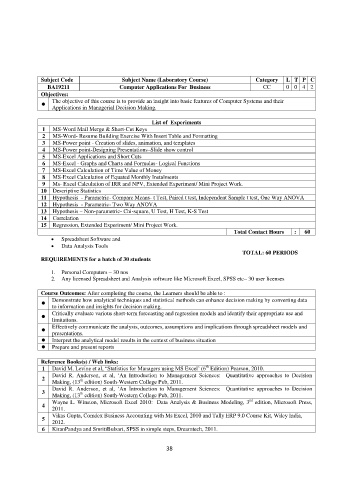
Subject Code Subject Name (Laboratory Course) Category L T P C
BA19211 Computer Applications For Business CC 0 0 4 2
Objectives:
The objective of this course is to provide an insight into basic features of Computer Systems and their
Applications in Managerial Decision Making.
List of Experiments
1 MS-Word Mail Merge & Short-Cut Keys
2 MS-Word- Resume Building Exercise With Insert Table and Formatting
3 MS-Power point - Creation of slides, animation, and templates
4 MS-Power point-Designing Presentations–Slide show control
5 MS-Excel Applications and Short Cuts
6 MS-Excel - Graphs and Charts and Formulas- Logical Functions
7 MS-Excel Calculation of Time Value of Money
8 MS-Excel Calculation of Equated Monthly Instalments
9 Ms- Excel Calculation of IRR and NPV, Extended Experiment/ Mini Project Work.
10 Descriptive Statistics
11 Hypothesis - Parametric- Compare Means- t Test, Paired t test, Independent Sample t test, One Way ANOVA
12 Hypothesis - Parametric- Two Way ANOVA
13 Hypothesis – Non-parametric- Chi-square, U Test, H Test, K-S Test
14 Correlation
15 Regression, Extended Experiment/ Mini Project Work.
Total Contact Hours : 60
Spreadsheet Software and
Data Analysis Tools
TOTAL: 60 PERIODS
REQUIREMENTS for a batch of 30 students
1. Personal Computers – 30 nos
2. Any licensed Spreadsheet and Analysis software like Microsoft Excel, SPSS etc– 30 user licenses
Course Outcomes: After completing the course, the Learners should be able to :
Demonstrate how analytical techniques and statistical methods can enhance decision making by converting data
to information and insights for decision making.
Critically evaluate various short-term forecasting and regression models and identify their appropriate use and
limitations.
Effectively communicate the analysis, outcomes, assumptions and implications through spreadsheet models and
presentations.
Interpret the analytical model results in the context of business situation
Prepare and present reports
Reference Books(s) / Web links:
th
1 David M. Levine et al, “Statistics for Managers using MS Excel’ (6 Edition) Pearson, 2010.
David R. Anderson, et al, ‘An Introduction to Management Sciences: Quantitative approaches to Decision
2 th
Making, (13 edition) South-Western College Pub, 2011.
David R. Anderson, et al, ‘An Introduction to Management Sciences: Quantitative approaches to Decision
3 th
Making, (13 edition) South-Western College Pub, 2011.
rd
Wayne L. Winston, Microsoft Excel 2010: Data Analysis & Business Modeling, 3 edition, Microsoft Press,
4
2011.
Vikas Gupta, Comdex Business Accounting with Ms Excel, 2010 and Tally ERP 9.0 Course Kit, Wiley India,
5
2012.
6 KiranPandya and SmritiBulsari, SPSS in simple steps, Dreamtech, 2011.
38

