


Page 1084 - (ISC)² CISSP Certified Information Systems Security Professional Official Study Guide
P. 1084
professional either uses nmap regularly or has used it at some point in
               their career. You can download a free copy of nmap or learn more

               about the tool at http://nmap.org.

               When nmap scans a system, it identifies the current state of each
               network port on the system. For ports where nmap detects a result, it
               provides the current status of that port:

               Open The port is open on the remote system and there is an
               application that is actively accepting connections on that port.

               Closed The port is accessible on the remote system, meaning that the

               firewall is allowing access, but there is no application accepting
               connections on that port.

               Filtered Nmap is unable to determine whether a port is open or
               closed because a firewall is interfering with the connection attempt.

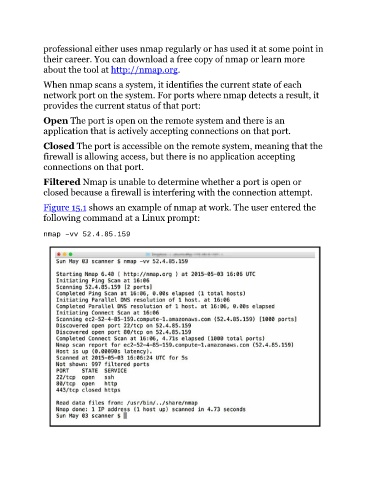
               Figure 15.1 shows an example of nmap at work. The user entered the
               following command at a Linux prompt:


               nmap –vv 52.4.85.159

