


Page 36 - DAX-Formula-Reference-Guide-Enterprise-DNA_Neat
P. 36
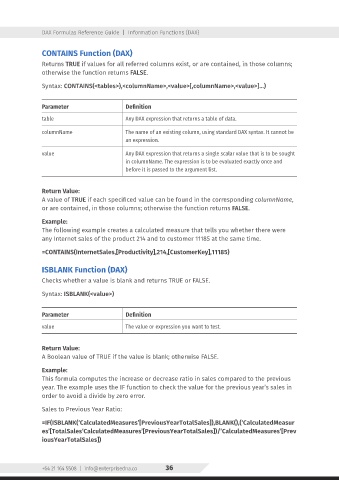
DAX Formulas Reference Guide  |  Information Functions (DAX)


                CONTAINS Function (DAX)
                Returns TRUE if values for all referred columns exist, or are contained, in those columns;
                otherwise the function returns FALSE.

                Syntax: CONTAINS(<tables>),<columnName>,<value>[,columnName>,<value>]…)


                Parameter                    Definition
                table                        Any DAX expression that returns a table of data.

                columnName                   The name of an existing column, using standard DAX syntax. It cannot be
                                             an expression.

                value                        Any DAX expression that returns a single scalar value that is to be sought
                                             in columnName. The expression is to be evaluated exactly once and
                                             before it is passed to the argument list.


                Return Value:
                A value of TRUE if each specificed value can be found in the corresponding columnName,
                or are contained, in those columns; otherwise the function returns FALSE.

                Example:
                The following example creates a calculated measure that tells you whether there were
                any Internet sales of the product 214 and to customer 11185 at the same time.


                =CONTAINS(InternetSales,[Productivity],214,[CustomerKey],11185)

                ISBLANK Function (DAX)
                Checks whether a value is blank and returns TRUE or FALSE.


                Syntax: ISBLANK(<value>)


                Parameter                    Definition

                value                        The value or expression you want to test.


                Return Value:
                A Boolean value of TRUE if the value is blank; otherwise FALSE.

                Example:
                This formula computes the increase or decrease ratio in sales compared to the previous
                year. The example uses the IF function to check the value for the previous year’s sales in
                order to avoid a divide by zero error.

                Sales to Previous Year Ratio:

                =IF(ISBLANK(‘CalculatedMeasures’[PreviousYearTotalSales]),BLANK(),(‘CalculatedMeasur
                es’[TotalSales‘CalculatedMeasures’[PreviousYearTotalSales])/’CalculatedMeasures’[Prev
                iousYearTotalSales])


                +64 21 164 5508  |  info@enterprisedna.co  36

