


Page 94 - Computing Book 7
P. 94
Mobile App Development – App Lab                                                     Class 7


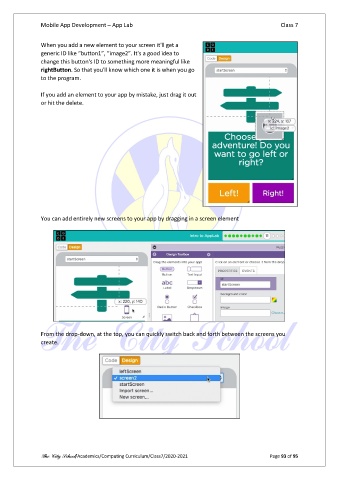
               When you add a new element to your screen it'll get a
               generic ID like “button1”, “image2”. It's a good idea to
               change this button's ID to something more meaningful like
               rightButton. So that you'll know which one it is when you go
               to the program.

               If you add an element to your app by mistake, just drag it out
               or hit the delete.


               You can add entirely new screens to your app by dragging in a screen element


               From the drop-down, at the top, you can quickly switch back and forth between the screens you
               create.


               The City School/Academics/Computing Curriculum/Class7/2020-2021                  Page 93 of 95

