


Page 90 - Computing Book 5
P. 90
Building a Website                                                                   Class 5


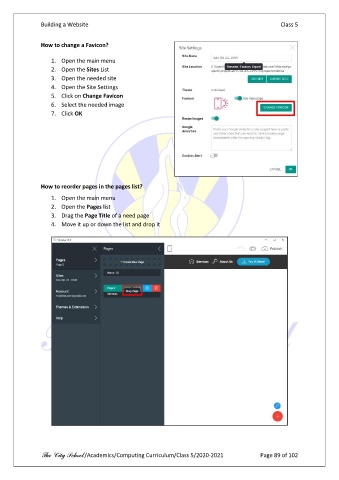
               How to change a Favicon?


                   1.  Open the main menu
                   2.  Open the Sites List
                   3.  Open the needed site
                   4.  Open the Site Settings
                   5.  Click on Change Favicon
                   6.  Select the needed image
                   7.  Click OK


               How to reorder pages in the pages list?

                   1.  Open the main menu
                   2.  Open the Pages list
                   3.  Drag the Page Title of a need page
                   4.  Move it up or down the list and drop it


               The City School /Academics/Computing Curriculum/Class 5/2020-2021            Page 89 of 102

