


Page 10 - fjs-genero-3.00.02-manual-install_Neat
P. 10
Install Genero Business Development Language | 10


                 Replace "this table" with automatic table title and link to table. It should say something like "Table 1 ..."
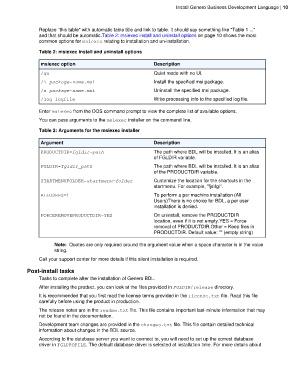
                 and that should be automatic.Table 2: msiexec install and uninstall options on page 10 shows the most
                 common options for msiexec relating to installation and un-installation.

                 Table 2: msiexec install and uninstall options

                  msiexec option                                 Description

                  /qn                                            Quiet mode with no UI.
                  /i package-name.msi                            Install the specified msi package.
                  /x package-name.msi                            Uninstall the specified msi package.
                  /log logfile                                   Write processing info to the specified log file.

                 Enter msiexec from the DOS command prompt to view the complete list of available options.

                 You can pass arguments to the msiexec installer on the command line.

                 Table 3: Arguments for the msiexec installer

                  Argument                                       Description
                  PRODUCTDIR=fgldir-path                         The path where BDL will be installed. It is an alias
                                                                 of FGLDIR variable.
                  FGLDIR=fgldir_path                             The path where BDL will be installed. It is an alias
                                                                 of the PRODUCTDIR variable.

                  STARTMENUFOLDER=startmenu-folder               Customize the location for the shortcuts in the
                                                                 startmenu. For example, "fjs\fgl".
                  ALLUSERS=1                                     To perform a per machine installation (All
                                                                 Users)There is no choice for BDL, a per user
                                                                 installation is denied.

                  FORCEREMOVEPRODUCTDIR=YES                      On uninstall, remove the PRODUCTDIR
                                                                 location, even if it is not empty.YES = Force
                                                                 removal of PRODUCTDIR.Other = Keep files in
                                                                 PRODUCTDIR. Default value: "" (empty string)

                        Note:  Quotes are only required around the argument value when a space character is in the value
                        string.
                 Call your support center for more details if this silent installation is required.

            Post-install tasks
                 Tasks to complete after the installation of Genero BDL.
                 After installing the product, you can look at the files provided in FGLDIR/release directory.
                 It is recommended that you first read the license terms provided in the license.txt file. Read this file
                 carefully before using the product in production.
                 The release notes are in the readme.txt file. This file contains important last-minute information that may
                 not be found in the documentation.
                 Development team changes are provided in the changes.txt file. This file contain detailed technical
                 information about changes in the BDL source.
                 According to the database server you want to connect to, you will need to set up the correct database
                 driver in FGLPROFILE. The default database driver is selected at installation time. For more details about

