


Page 11 - Trainer Guide to the Learning Hub - OnBoard
P. 11
P ag e  | 11


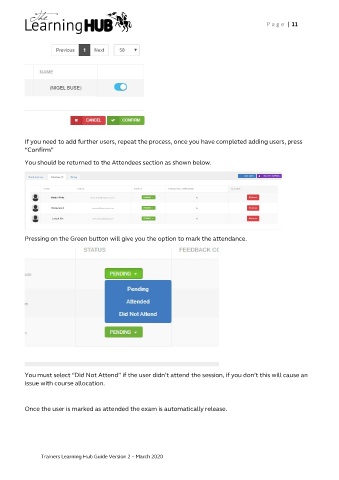
          If you need to add further users, repeat the process, once you have completed adding users, press
          “Confirm”

          You should be returned to the Attendees section as shown below.


          Pressing on the Green button will give you the option to mark the attendance.


          You must select “Did Not Attend” if the user didn’t attend the session, if you don’t this will cause an
          issue with course allocation.


          Once the user is marked as attended the exam is automatically release.


               Trainers Learning Hub Guide Version 2 – March 2020

