


Page 12 - Trainer Guide to the Learning Hub - OnBoard
P. 12
P ag e  | 12


          Allocation of courses


          With the new system this is all automated, and cannot be over written, it uses the information sent
          over from the HR System.
          There may be situations where you will find a Windows and Doors Rep has been allocated Living Spaces
          Courses, if this happens you must contact HR Admin, so they can check the Reps is setup correctly.

          Any changes made by HR Admin, can take up to 2 working days to sync across all the Anglian Systems,
          but at this point the Rep would receive the correct allocations.

          For allocations of any employees that do not seem correct please contact Learning & Development
          who will be able to check the allocations for you.
          Reports
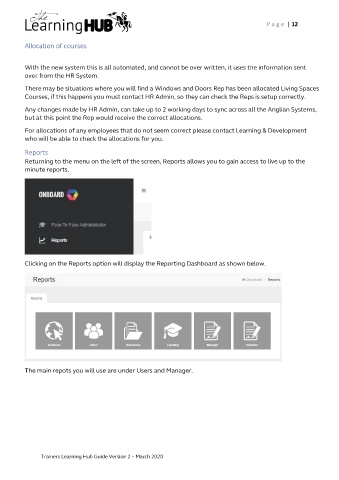
          Returning to the menu on the left of the screen, Reports allows you to gain access to live up to the
          minute reports.


          Clicking on the Reports option will display the Reporting Dashboard as shown below.


          The main repots you will use are under Users and Manager.


               Trainers Learning Hub Guide Version 2 – March 2020

