


Page 76 - TCS ICT Book 4
P. 76
The City School  2021-2022


           3.16. Getting Worksheet Ready for Print


           Setting Page Orientation


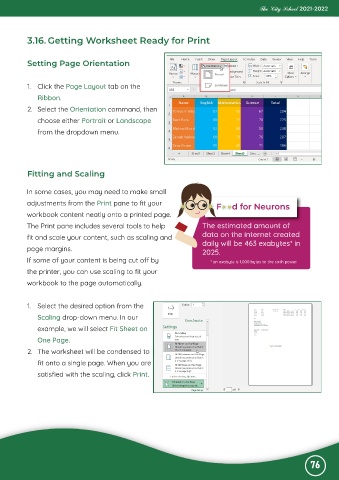
           1.  Click the Page Layout tab on the
              Ribbon.

           2.  Select the Orientation command, then
              choose either Portrait or Landscape

              from the dropdown menu.


           Fitting and Scaling


           In some cases, you may need to make small
           adjustments from the Print pane to fit your

           workbook content neatly onto a printed page.
           The Print pane includes several tools to help                The estimated amount of

           fit and scale your content, such as scaling and              data on the internet created
           page margins.                                                daily will be 463 exabytes* in
                                                                        2025.
           If some of your content is being cut off by                     * an exabyte is 1,000 bytes to the sixth power.
           the printer, you can use scaling to fit your

           workbook to the page automatically.


           1.  Select the desired option from the
              Scaling drop-down menu. In our

              example, we will select Fit Sheet on
              One Page.

           2.  The worksheet will be condensed to
              fit onto a single page. When you are

              satisfied with the scaling, click Print.


                                                                                                              76

