


Page 72 - TCS ICT Book 4
P. 72
The City School  2021-2022


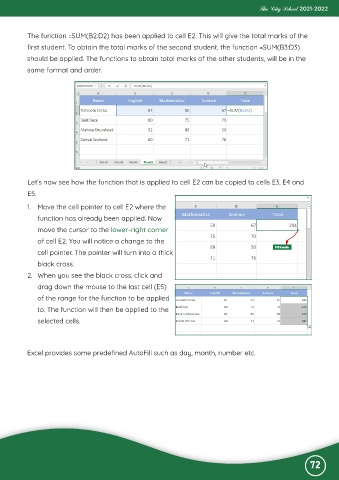
           The function =SUM(B2:D2) has been applied to cell E2. This will give the total marks of the
           first student. To obtain the total marks of the second student, the function =SUM(B3:D3)

           should be applied. The functions to obtain total marks of the other students, will be in the
           same format and order.


           Let’s now see how the function that is applied to cell E2 can be copied to cells E3, E4 and
           E5.

           1.  Move the cell pointer to cell E2 where the

              function has already been applied. Now
              move the cursor to the lower-right corner

              of cell E2. You will notice a change to the
              cell pointer. The pointer will turn into a thick

              black cross.
           2.  When you see the black cross, click and

              drag down the mouse to the last cell (E5)
              of the range for the function to be applied

              to. The function will then be applied to the
              selected cells.


           Excel provides some predefined AutoFill such as day, month, number etc.


                                                                                                              72

