


Page 133 - Scratch Programming Playground
P. 133
save Point

            Click the green flag to test the code so far. Let the tennis
            ball fall past the paddle, and make sure the Game Over sprite
            appears and the program stops. Save your program.


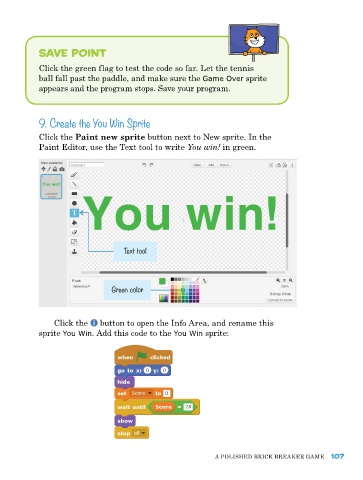
            9. Create the You Win Sprite

            Click the Paint new sprite button next to New sprite. In the
            paint editor, use the Text tool to write You win! in green.


                                   Text tool


                                Green color


                Click the   button to open the Info area, and rename this
            sprite You Win. add this code to the You Win sprite:


                                                             a poLIShed BrICk Breaker Game   107

