


Page 133 - Programming With Python 3
P. 133
An Introduction to STEM Programming with Python — 2019-09-03a                              Page 120
            Chapter 10 — Files


            The following program re-writes the program that creates the Moby Dick text file, using a context
             Free
            manager. It is the preferred way to do input/output.

               1|  ##### output a text file – THE BETTER WAY
               2|  ##### Text of Moby Dick, by Herman Melville,
               3|  ##### downloaded from Project Guttenberg
               4|  fn = "mobydick.txt"
             eBook
               5|  with open(fn,"w") as f:
               6|      f.write("Call me Ishmael.\n")
               7|      f.write("Some years ago—never mind how long precisely—having
                       little or no money in my purse, and nothing particular to
                       interest me on shore,")
               8|      f.write(" I thought I would sail about a little and see the
             Edition
                       watery part of the world.\n")
               9|      f.write("It is a way I have of driving off the spleen and
                       regulating the circulation.\n")
             10|  print(fn, "written")


            Please support this work at
            Read Text from a File


                                  http://syw2l.org
            Using for

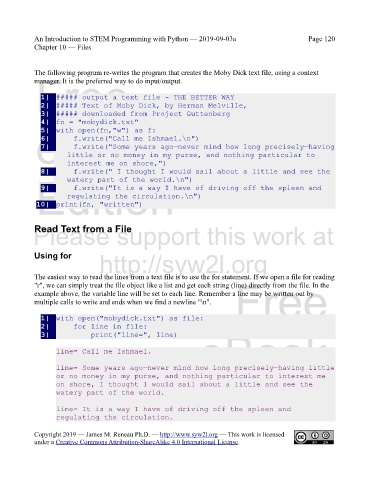
            The easiest way to read the lines from a text file is to use the for statement. If we open a file for reading
            "r", we can simply treat the file object like a list and get each string (line) directly from the file. In the
            example above, the variable line will be set to each line. Remember a line may be written out by
            multiple calls to write and ends when we find a newline "\n".      Free


               1|  with open("mobydick.txt") as file:
               2|      for line in file:
                                                                   eBook
               3|          print("line=", line)

                    line= Call me Ishmael.

                    line= Some years ago—never mind how long precisely—having little
                    or no money in my purse, and nothing particular to interest me
                    on shore, I thought I would sail about a little and see the
                    watery part of the world.                   Edition


                    line= It is a way I have of driving off the spleen and
                    regulating the circulation.


            Copyright 2019 — James M. Reneau Ph.D. — http://www.syw2l.org — This work is licensed
            under a Creative Commons Attribution-ShareAlike 4.0 International License.

