


Page 22 - MuseScore 2.0 handbook
P. 22
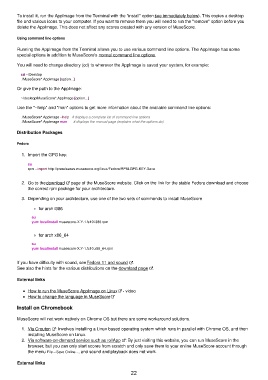
To install it, run the AppImage from the Terminal with the "install" option (see immediately below). This copies a desktop
         file and various icons to your computer. If you want to remove them you will need to run the "remove" option before you
         delete the AppImage. This does not affect any scores created with any version of MuseScore.

         Using command line options

         Running the AppImage from the Terminal allows you to use various command line options. The AppImage has some
         special options in addition to MuseScore's normal command line options.

         You will need to change directory (cd) to wherever the AppImage is saved your system, for example:

             cd ~/Desktop
             ./MuseScore*.AppImage [option...]

         Or give the path to the AppImage:
             ~/desktop/MuseScore*.AppImage [option...]

         Use the "--help" and "man" options to get more information about the available command line options:

             ./MuseScore*.AppImage --help   # displays a complete list of command line options
             ./MuseScore*.AppImage man      # displays the manual page (explains what the options do)

         Distribution Packages

         Fedora

           1.  Import the GPG key:

             su
             rpm --import http://prereleases.musescore.org/linux/Fedora/RPM-GPG-KEY-Seve


           2.  Go to the download   page of the MuseScore website. Click on the link for the stable Fedora download and choose
             the correct rpm package for your architecture.
           3.  Depending on your architecture, use one of the two sets of commands to install MuseScore

                  for arch i386

                 su
                 yum localinstall musescore-X.Y-1.fc10.i386.rpm

                  for arch x86_64

                 su
                 yum localinstall musescore-X.Y-1.fc10.x86_64.rpm

         If you have difficulty with sound, see Fedora 11 and sound  .
         See also the hints for the various distributions on the download page  .

         External links

             How to run the MuseScore AppImage on Linux  - video
             How to change the language in MuseScore

         Install on Chromebook


         MuseScore will not work natively on Chrome OS but there are some workaround solutions.
           1.  Via Crouton  : Involves installing a Linux based operating system which runs in parallel with Chrome OS, and then
             installing MuseScore on Linux.
           2.  Via software-on-demand service such as rollApp  : By just visiting this website, you can run MuseScore in the
             browser, but you can only start scores from scratch and only save them to your online MuseScore account through
             the menu File→Save Online..., and sound and playback does not work.

         External links
                                                           22

