


Page 19 - MuseScore 2.0 handbook
P. 19
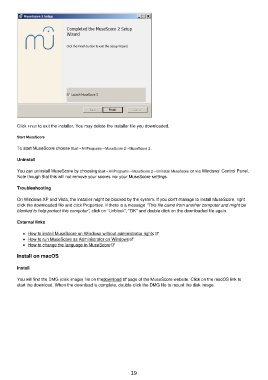
Click Finish to exit the installer. You may delete the installer file you downloaded.

         Start MuseScore

         To start MuseScore choose Start→All Programs→MuseScore 2→MuseScore 2.

         Uninstall


         You can uninstall MuseScore by choosing Start→All Programs→MuseScore 2→Uninstall MuseScore or via Windows' Control Panel.
         Note though that this will not remove your scores nor your MuseScore settings.

         Troubleshooting

         On Windows XP and Vista, the installer might be blocked by the system. If you don't manage to install MuseScore, right
         click the downloaded file and click Properties. If there is a message "This file came from another computer and might be
         blocked to help protect this computer", click on "Unblock", "OK" and double click on the downloaded file again.

         External links

             How to install MuseScore on Windows without administrator rights
             How to run MuseScore as Administrator on Windows
             How to change the language in MuseScore

         Install on macOS

         Install


         You will find the DMG (disk image) file on the download   page of the MuseScore website. Click on the macOS link to
         start the download. When the download is complete, double-click the DMG file to mount the disk image.


                                                           19

