


Page 3 - QC-Smart_ PSS- Manual_webb ENG_Neat
P. 3
SMART PRO SURVEILLANCE SOFTWARE (PSS)  INSTALLING SMART PSS ON A MACINTOSH
 In addition to using the web-based Web Service method to monitor and control your system,   Smart PSS can be either installed from the included CD or downloaded from our support
 Q-See also offers, the Smart PSS (Pro Surveillance Software). This free software is included   site, Q-See.com/support. The download will be in the form of a .zip file which your computer
 on the CD packaged along with your DVR. The file is also available for free download on   should automatically decompress. On the CD, it will be located in the following directory:
 Q-See.com/support.  Software   PSS - Viewer Program   PSS for Mac. Simply drag and drop the application into
 Smart PSS differs from the browser-based Web Service in that you can monitor up to 36   your Applications folder - or any other desired location - on your hard drive. You may wish to
 cameras at one time. These cameras can be connected to a QC-Series DVR or NVR, or they   create an “Alias” or shortcut on your desktop from the computers File menu or drag and drop
 can be IP cameras operating in stand-alone mode. Smart PSS is compatible with Windows   the program’s icon to your Toolbar for easy access to the program.
 XP, Vista, 7 and 8 or Mac OSX 10.7 and later. PC users also have the option of installing
 PC-NVR which enables the computer to be used as a security recorder and server.
        LOG IN
 SYSTEM REQUIREMENTS  Upon launch, you will be asked to log in. Enter admin for both the user name and password.
        You can (and should) change this to ensure your security. Instructions for changing your
 Windows  Macintosh
        password are included later in this section. The Admin account cannot be deleted.
 OS  Windows XP, Vista, 7, 8  OSX 10.7, 10.8
 CPU  2.4GHz or Higher  2.7GHz or Higher  IMPORTANT! Please keep in mind that this manual and other documentation
 Display Card  Supports DirectX 8.0c or later  are freely available for download online. Therefore it is absolutely essential that
 Memory  Minimum 1GB (WinXP)  you should change the passwords on your system and any application used to
                 access it in order to maintain the integrity of your system.
 Video Display  Minimum 1024x768  Minimum 1024x768

 INSTALLING SMART PSS ON A PC  Once you have logged in, you will see the
 To install Smart PSS from the included CD using the menu  Device Management page. In the future,
 Click on the Software button in the CD’s   once you have added systems to Smart
 menu. Next, click on the PSS button. The   PSS, you’ll be able to use the Home page to
 installer will start and ask you to select a   manage them.
 language - currently English or Chinese. By
 default, the installer will place the application   The Device Management page consists of
 within the Programs folder on your computer’s   two tabs: Add Device and Group Manager.
 hard drive. You can change the install location   PICTURE 3-60  The first is used to add DVRs, NVRs and IP
 if desired. Once installed, Smart PSS can be   cameras to the Smart PSS program, while
 launched like any other program.  the second tab allows you to organize them
        into groups for your convenience.           PICTURE 3-62
 To install Smart PSS from a download or from the CD
 The latest version of Smart PSS can be downloaded from our support site, Q-See.com/
 support and it comes in a highly compressed “.rar” format for faster download. You will need   You can switch between the two pages as
 to download an extraction program to be able to install PSS. One extraction program can be   desired. The Device Management page
 downloaded for free at at http://rarlabs.com/download.htm  can be closed, and its icon removed from the
 You can also access the Smart PSS installer directly from the CD’s menu. It is located in the   top of the Smart PSS program window by
 following directory: Software   PSS - Viewer Program   PSS for Windows  clicking the ‘X’ in the upper right of the icon.
        It can be re-opened by clicing on the Device
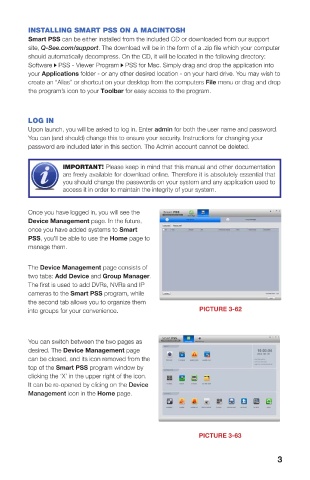
 The installer will start and ask you to select a   Management icon in the Home page.
 language - currently English or Chinese. By
 default, the installer will place the application
 within the Programs folder on your computer’s
 hard drive. You can change the install location
 if desired. Once installed, Smart PSS can be       PICTURE 3-63
 launched like any other program.  PICTURE 3-61
 2                                                                      3

