


Page 17 - Receptionist
P. 17
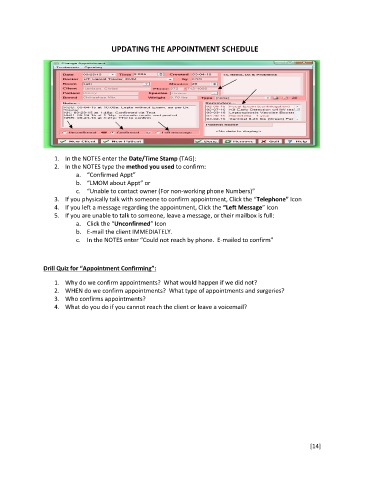
UPDATING THE APPOINTMENT SCHEDULE


                   1.  In the NOTES enter the Date/Time Stamp (TAG):
                   2.  In the NOTES type the method you used to confirm:
                          a.  “Confirmed Appt”
                          b.  “LMOM about Appt” or
                          c.  “Unable to contact owner (For non-working phone Numbers)”
                   3.  If you physically talk with someone to confirm appointment, Click the “Telephone” Icon
                   4.  If you left a message regarding the appointment, Click the “Left Message” Icon
                   5.  If you are unable to talk to someone, leave a message, or their mailbox is full:
                          a.  Click the “Unconfirmed” Icon
                          b.  E-mail the client IMMEDIATELY.
                          c.  In the NOTES enter “Could not reach by phone.  E-mailed to confirm”


               Drill Quiz for “Appointment Confirming”:

                   1.  Why do we confirm appointments?  What would happen if we did not?
                   2.  WHEN do we confirm appointments?  What type of appointments and surgeries?
                   3.  Who confirms appointments?
                   4.  What do you do if you cannot reach the client or leave a voicemail?


                                                                                                        [14]

