


Page 109 - digitalliteracy
P. 109
5.3  Posting on a Class Discussion Board


                              you keep track of when discussion posts and other assignments are due and that you
                              post by the due date—or earlier, if possible. Posting before the due date has some
                              great advantages:
                            •  The instructor usually has more time to give you thoughtful feedback than on the
                              day the assignment is due, when everyone else posts to make the deadline.
                            •  Your classmates are more likely to give you feedback and engage with you in useful
                              discussions if your post is made early.
                            •  Making your initial post early gives you time to respond to other students’ posts.
                            •  Make sure you respond to other students’ posts as well as posting your own
                              response. You must do both to get full credit for an assignment.
                            •  Make sure you go back and read what others have written in response to your initial
                              post. Respond to questions asked by your instructor and your classmates.
                            •  Use your critical-thinking skills and write a thoughtful and respectful response to
                              classmates’ posts. Posting only “I agree” or “You make a good point” is not sufficient.
                              Go a step further and explain why you agree or why a classmate’s point is important.
                              You might also suggest some other issues your classmate might consider, ask a
                              question, share similar experiences you have had in the past, or give helpful tips you
                              think might assist your classmate.
                            •  Remember that your posts are graded on quality as well as on content, so make sure
                              your posts are professionally written and presented. It is usually best to type your
                              post first on a blank page in your word processing program—not in the discussion
                              assignment area. Save the file, revise it, run the spell-checker, and ensure that the
                              post is appropriate for a professional environment. Then copy and paste it into the
                              discussion forum. For help in this area, don’t hesitate to submit your discussions to
                              the Ashford Writing Center for feedback prior to posting.
                            •  Recall from our plagiarism discussion in Module 4 that it is never appropriate to
                              copy information from other sources like other posts, the web, books, or other docu-
                              ments. When you include ideas in your post that are not your own, paraphrase—or
                              put those ideas into your own words—and be sure to give credit to the author of
                              the original ideas. Check with your course instructor for the right information to
                              include and the proper way to
                              format these sources. Ashford
                              University uses the style of
                              the American Psychological
                              Association (APA) for format-
                              ting formal written papers and
                              giving credit to your sources,
                              which you will learn in a
                              future class. The Ashford Writ-
                              ing Center contains resources
                              to help you with APA style,
                              as well as many tutorials and
                              other assistance with your
                              college writing. When you log                            DragonImages/iStock/Thinkstock
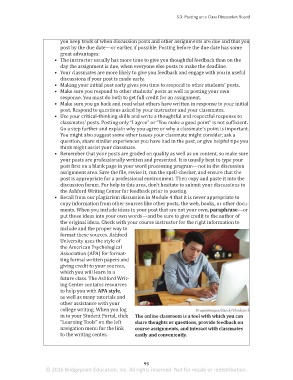
                              in to your Student Portal, click   The online classroom is a tool with which you can
                              “Learning Tools” on the left    share thoughts or questions, provide feedback on
                              navigation menu for the link    course assignments, and interact with classmates
                              to the writing center.          easily and conveniently.


                                                                 93
                        © 2016 Bridgepoint Education, Inc. All rights reserved. Not for resale or redistribution.


       sol82612_05_m05_085-096.indd   93                                                                             6/29/16   5:13 PM

