


Page 38 - digitalliteracy
P. 38
Introduction:

                         Getting the Most Out of Your Classes Begins With Your Computer


                       Do you currently use a computer? If so, what do you use it for most often? Do you log on to
                       play games, stream videos, connect with friends on social media, or browse websites to get
                       the latest sports scores or entertainment news? If so, you are like most people; you use your
                       computer  to receive information—or, as technology experts say, to “consume content.”
                       According to computer analyst Tim Bajarin (2010), most people spend approximately 75% of
                       their computer time consuming content and only 25% creating content—performing produc-
                       tive tasks such as writing, drawing, paying bills, or balancing a checkbook.


                                                                          As a new Ashford University student,
                                                                          your life is about  to change. You  will
                                                                          probably find these percentages  to
                                                                          be reversed: About 75% of your com-
                                                                          puter time will be spent creating con-
                                                                          tent  such as discussion  forum posts
                                                                          and written assignments. To  perform
                                                                          these tasks well,  it  is important  that
                                                                          you have the right tools for the job.

                                                                          Jason is a corporal in the U.S. Army and
                                                                          is stationed in Germany. He is earning
                                                                          his bachelor’s degree at Ashford Uni-
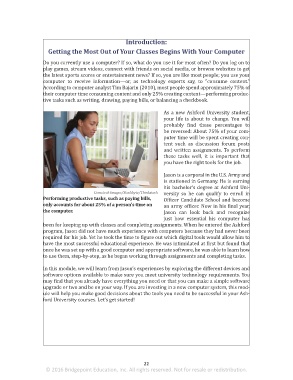
                                             Comstock Images/Stockbyte/Thinkstock  versity so he can  qualify  to enroll  in
                       Performing productive tasks, such as paying bills,   Officer Candidate School and become
                       only accounts for about 25% of a person’s time on   an army officer. Now in his final year,
                       the computer.                                      Jason can  look  back  and  recognize
                                                                          just how essential his  computer  has
                       been for keeping up with classes and completing assignments. When he entered the Ashford
                       program, Jason did not have much experience with computers because they had never been
                       required for his job. Yet he took the time to figure out which digital tools would allow him to
                       have the most successful educational experience. He was intimidated at first but found that
                       once he was set up with a good computer and appropriate software, he was able to learn how
                       to use them, step-by-step, as he began working through assignments and completing tasks.

                       In this module, we will learn from Jason’s experiences by exploring the different devices and
                       software options available to make sure you meet university technology requirements. You
                       may find that you already have everything you need or that you can make a simple software
                       upgrade or two and be on your way. If you are investing in a new computer system, this mod-
                       ule will help you make good decisions about the tools you need to be successful in your Ash-
                       ford University courses. Let’s get started!


                                                                 22
                        © 2016 Bridgepoint Education, Inc. All rights reserved. Not for resale or redistribution.


       sol82612_02_m02_021-046.indd   22                                                                             6/29/16   5:10 PM

