


Page 40 - digitalliteracy
P. 40
2.1  Which Hardware Is Right for You?


                       think about what you will do with that device. As a student at Ashford, meeting your academic
                       needs should be your top priority when choosing computer hardware. One thing we know
                       for sure about a desktop computer or laptop is that you can easily use them for your Ashford
                       University course work. Most of the options you choose for school will also have features you
                       can enjoy and use in your personal life, so it’s a win–win situation.


                       A Desktop or Laptop Computer Is Vital to Your Academic Success


                       In your Ashford University courses, you will be required to express your ideas in a profes-
                       sional manner, communicate appropriately with others, and prepare formal written assign-
                       ments, papers, and reports.  To accomplish these
                       goals effectively, you must use a desktop computer
                       or a laptop, or notebook computer. Desktop com-
                       puters are designed to rest on a table or desk and
                       be used in a single location. They are fairly large
                       because they consist  of  several components  con-
                       nected together to create a complete computer sys-
                       tem. A laptop or  notebook computer  has most of
                       these same components, but it is a mobile comput-
                       ing device with many of the components integrated
                       into one small,  portable  device. Click through the
                       interactive feature in your  e-book to learn more
                       about each type of device and its many components.          Blend Images/Blend Images/SuperStock
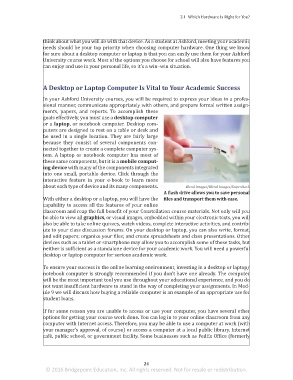
                                                                          A flash drive allows you to save personal
                       With either a desktop or a laptop, you will have the  files and transport them with ease.
                       capability to access all the features of your online
                       classroom and reap the full benefit of your Constellation course materials. Not only will you
                       be able to view all graphics, or visual images, embedded within your electronic texts, you will
                       also be able to take online quizzes, watch videos, complete interactive activities, and contrib-
                       ute to your class discussion forums. On your desktop or laptop, you can also write, format,
                       and edit papers; organize your files; and create spreadsheets and class presentations. Other
                       devices such as a tablet or smartphone may allow you to accomplish some of these tasks, but
                       neither is sufficient as a standalone device for your academic work. You will need a powerful
                       desktop or laptop computer for serious academic work.

                       To ensure your success in the online learning environment, investing in a desktop or laptop/
                       notebook computer is strongly recommended if you don’t have one already. The computer
                       will be the most important tool you use throughout your educational experience, and you do
                       not want insufficient hardware to stand in the way of completing your assignments. In Mod-
                       ule 9 we will discuss how buying a reliable computer is an example of an appropriate use for
                       student loans.

                       If for some reason you are unable to access or use your computer, you have several other
                       options for getting your course work done. You can log in to your online classroom from any
                       computer with Internet access. Therefore, you may be able to use a computer at work (with
                       your manager’s approval, of course) or access a computer at a local public library, Internet
                       café, public school, or government facility. Some businesses such as FedEx Office (formerly


                                                                 24
                        © 2016 Bridgepoint Education, Inc. All rights reserved. Not for resale or redistribution.


       sol82612_02_m02_021-046.indd   24                                                                             6/29/16   5:10 PM

