


Page 41 - digitalliteracy
P. 41
2.1  Which Hardware Is Right for You?


                       FedEx Kinko’s print and ship centers) also rent computers for an hourly rate during their
                       business hours. If you use a shared computer at a public site, always take a USB memory
                       device (also called a USB memory stick, flash drive, or thumb drive) with you to save your
                       personal files.

                       Technical difficulties—including not having access to a computer and not being able to con-
                       nect to the Internet—are not acceptable excuses for turning in assignments late. So check
                       computer options in your local community now, in case you need computer access in a pinch.
                       Make sure you have a backup plan in the event that your primary computer is not functioning
                       properly. Also, check out the troubleshooting section of Module 3 to learn how to solve com-
                       puter or Internet problems that you may encounter.


                       Desktop or Laptop? Let Usage Be Your Guide


                       Now that you understand the impor-
                       tance of a desktop or laptop computer
                       for  your academic success  and the
                       computer’s  basic  operating compo-
                       nents, how do you choose  one? Both
                       desktops and laptops have advantages
                       and disadvantages. As  we compare
                       them, think about how and where you
                       will do your schoolwork and your per-
                       sonal preferences  for  types  of  com-
                       puter hardware; this knowledge will
                       help guide your decision.
                                                                                   Hero Images/Hero/Images/SuperStock
                       Our friend, Jason, put a lot of thought
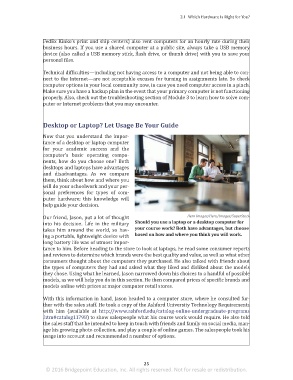
                       into his decision. Life in the military   Should you use a laptop or a desktop computer for
                       takes him around the world,  so hav-   your course work? Both have advantages, but choose
                       ing a portable, lightweight device with   based on how and where you think you will work.
                       long battery life was of utmost impor-
                       tance to him. Before heading to the store to look at laptops, he read some consumer reports
                       and reviews to determine which brands were the best quality and value, as well as what other
                       consumers thought about the computers they purchased. He also talked with friends about
                       the types of computers they had and asked what they liked and disliked about the models
                       they chose. Using what he learned, Jason narrowed down his choices to a handful of possible
                       models, as we will help you do in this section. He then compared prices of specific brands and
                       models online with prices at major computer retail stores.

                       With this information in hand, Jason headed to a computer store, where he consulted fur-
                       ther with the sales staff. He took a copy of the Ashford University Technology Requirements
                       with  him (available  at  http://www.ashford.edu/catalog-online-undergraduate-programs
                       .htm#catalog11798) to show salespeople what his course work would require. He also told
                       the sales staff that he intended to keep in touch with friends and family on social media, man-
                       age his growing photo collection, and play a couple of online games. The salespeople took his
                       usage into account and recommended a number of options.


                                                                 25
                        © 2016 Bridgepoint Education, Inc. All rights reserved. Not for resale or redistribution.


       sol82612_02_m02_021-046.indd   25                                                                             6/29/16   5:11 PM

