


Page 50 - digitalliteracy
P. 50
2.2  Other Portable Devices That Can Enhance Your Educational Experience


                       To read your course textbooks on a simple eReader, you will need to download specific files
                       (e.g., mobi or epub) from Constellation that your eReader can open. Other types of tablets will
                       be able to access Constellation. The use of eReaders and e-reading platforms such as Constel-
                       lation may also reduce textbook costs, and eReaders are considered to be more environmen-
                       tally friendly because they do not require paper (Go, 2009).


                       Netbooks


                       Netbooks may look like laptop computers, but they are thin, small, lightweight computing
                       devices that are designed primarily for consuming content. They are sometimes referred to
                       as mini laptops or subnotebooks because they are smaller and more lightweight than laptops
                       and have less computing power. These devices have attached keyboards but less hardware
                       than desktops or laptops. Netbook is the general name for these small machines, and as their
                       name implies, they are designed primarily for connecting to the Internet and for sending and
                       receiving e-mail. Netbooks may be less expensive computers for personal use, but they are
                       generally not suitable alternatives to a laptop or a tablet for creating documents for school
                       and work. Most of these devices utilize a touch screen rather than a mouse for typing lengthy
                       academic documents and do not have all the features you need for school or for the work-
                       place. They do have some excellent features, however, for personal use.


                       One type of netbook, Google’s Chromebook, has an operating system that is optimized to pro-
                       vide users with an excellent web experience. Chromebooks also have built-in security features
                       that eliminate the need to buy and maintain antivirus software. The devices boot up quickly
                       and allow access to apps, games, photos, music, and movies without having to worry about
                       storing files, because they reside in the cloud. We will discuss cloud storage later in this module.


                       Smartphones

                       One of the most significant new comput-
                       ing devices  in the past  few decades  is
                       the smartphone. Fast connection speeds,
                       a wide range of storage options, and an
                       ever-increasing number of download-
                       able  software applications  make these
                       devices popular and user-friendly. Users
                       can personalize the start screen by plac-
                       ing any applications,  photos, games,
                       songs, websites, or documents they want
                       there. Check out  A  Closer  Look: Aug-                              LDProd/iStock/Thinkstock
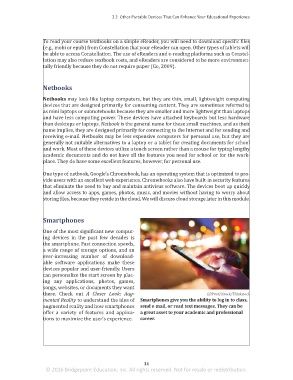
                       mented Reality to understand the idea of  Smartphones give you the ability to log in to class,
                       augmented reality and how smartphones  send e-mail, or read text messages. They can be
                       offer  a variety of  features  and applica-  a great asset to your academic and professional
                       tions to maximize the user’s experience.  career.


                                                                 34
                        © 2016 Bridgepoint Education, Inc. All rights reserved. Not for resale or redistribution.


       sol82612_02_m02_021-046.indd   34                                                                             6/29/16   5:11 PM

