


Page 49 - digitalliteracy
P. 49
2.2  Other Portable Devices That Can Enhance Your Educational Experience


                       Given their small size, you may be able to carry a tablet with you during the day and use it
                       during any free time such as lunch or rest breaks, when you are waiting for meetings to begin
                       or to pick up your children, or sitting in the dentist’s office. It can be used to check in to your
                       class, respond to e-mails, conduct research, or contact your instructor or classmates with
                       questions.

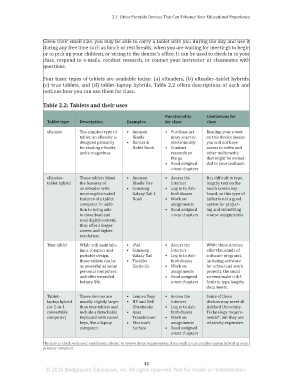
                       Four basic types of tablets are available today: (a) eReaders, (b) eReader–tablet hybrids,
                       (c) true tablets, and (d) tablet–laptop hybrids. Table 2.2 offers descriptions of each and
                       outlines how you can use them for class.

                       Table 2.2: Tablets and their uses

                                                                          Functionality    Limitations for
                         Tablet type   Description        Examples        for class        class

                         eReader       The simplest type of   •  Amazon   •  Purchase pri-  Reading your e-text
                                       tablet, an eReader is   Kindle        mary sources   on this device means
                                       designed primarily   •  Barnes &      electronically  you will not have
                                       for reading e-books   Noble Nook   •  Conduct       access to video and
                                       and e-magazines.                      research on   other multimedia
                                                                             the go        that might be embed-
                                                                          •  Read assigned   ded in your textbook.
                                                                             e-text chapters

                         eReader–      These tablets blend   •  Amazon    •  Access the    It is difficult to type
                         tablet hybrid  the features of      Kindle Fire     Internet      lengthy text on the
                                       an eReader with    •  Samsung      •  Log in to Ash-  touch screen key-
                                       more sophisticated    Galaxy Tab 4    ford classes  board, so this type of
                                       features of a tablet   Nook        •  Work on       tablet is not a good
                                       computer. In addi-                    assignments   option for prepar-
                                       tion to being able                 •  Read assigned   ing and submitting
                                       to download and                       e-text chapters  course assignments.
                                       read digital content,
                                       they offer a larger
                                       screen and higher
                                       resolution.
                         True tablet   While still maintain-  •  iPad     •  Access the    While these devices
                                       ing a compact and   •  Samsung        Internet      offer thousands of
                                       portable design,      Galaxy Tab   •  Log in to Ash-  software programs,
                                       these tablets can be   •  Toshiba     ford classes  including software
                                       as powerful as some   Excite Go    •  Work on       for school and work
                                       personal computers                    assignments   projects, the small
                                       and offer extended                 •  Read assigned   screens make it dif-
                                       battery life.                         e-text chapters  ficult to type lengthy
                                                                                           documents.

                         Tablet–       These devices are   •  Lenovo Yoga  •  Access the   Some of these
                         laptop hybrid   usually slightly larger   •  HP and Dell   Internet  devices may meet all
                         (or 2-in-1    than true tablets and   Ultra books  •  Log in to Ash-  Ashford University
                         convertible   include a detachable   •  Asus        ford classes  Technology require-
                         computer)     keyboard with raised   Trans former  •  Work on     ments*, but they are
                                       keys, like a laptop   •  Microsoft    assignments   relatively expensive.
                                       computer.             Surface      •  Read assigned
                                                                             e-text chapters

                       *Be sure to check with your enrollment advisor to review these requirements if you wish to use a tablet–laptop hybrid as your
                       primary computer.


                                                                 33
                        © 2016 Bridgepoint Education, Inc. All rights reserved. Not for resale or redistribution.


       sol82612_02_m02_021-046.indd   33                                                                             6/29/16   5:11 PM

