


Page 53 - digitalliteracy
P. 53
2.3  Software: Your Tools for Success


                       Software You Will Need for Your Online Courses


                       In the following  sections,  we will
                       review the software programs that
                       must be installed  on your computer
                       for your Ashford courses.  These  pro-
                       grams are also referred to as produc-
                       tivity software because they allow you
                       to produce or create new content and
                       documents. As an Ashford student, you
                       will receive Microsoft Word, Excel, and
                       PowerPoint for free as part of your
                       Office 365 package.  After we review
                       these software requirements, we will
                       look  at some interesting options you
                                                                                 Jacob Ammentorp Lund/iStock/Thinkstock
                       may also want to consider.
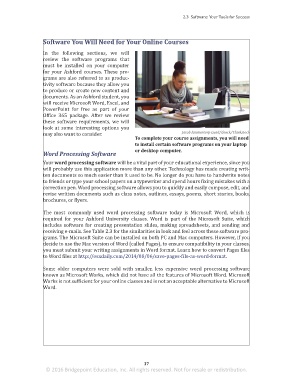
                                                              To complete your course assignments, you will need
                                                              to install certain software programs on your laptop
                                                              or desktop computer.
                       Word Processing Software

                       Your word processing software will be a vital part of your educational experience, since you
                       will probably use this application more than any other. Technology has made creating writ-
                       ten documents so much easier than it used to be. No longer do you have to handwrite notes
                       to friends or type your school papers on a typewriter and spend hours fixing mistakes with a
                       correction pen. Word processing software allows you to quickly and easily compose, edit, and
                       revise written documents such as class notes, outlines, essays, poems, short stories, books,
                       brochures, or flyers.


                       The most commonly used word processing  software today is Microsoft Word, which is
                       required  for  your  Ashford  University  classes.  Word  is  part of  the Microsoft  Suite, which
                       includes software for creating presentation slides, making spreadsheets, and sending and
                       receiving e-mails. See Table 2.3 for the similarities in look and feel across these software pro-
                       grams. The Microsoft Suite can be installed on both PC and Mac computers. However, if you
                       decide to use the Mac version of Word (called Pages), to ensure compatibility in your classes,
                       you must submit your writing assignments in Word format. Learn how to convert Pages files
                       to Word files at http://osxdaily.com/2014/08/06/save-pages-file-as-word-format.

                       Some older computers were sold with  smaller,  less expensive word processing software
                       known as Microsoft Works, which did not have all the features of Microsoft Word. Microsoft
                       Works is not sufficient for your online classes and is not an acceptable alternative to Microsoft
                       Word.


                                                                 37
                        © 2016 Bridgepoint Education, Inc. All rights reserved. Not for resale or redistribution.


       sol82612_02_m02_021-046.indd   37                                                                             6/29/16   5:11 PM

