


Page 108 - Computing E-Book Grade 7
P. 108
The City School  2021-2022


             Get to Know Your Storyline


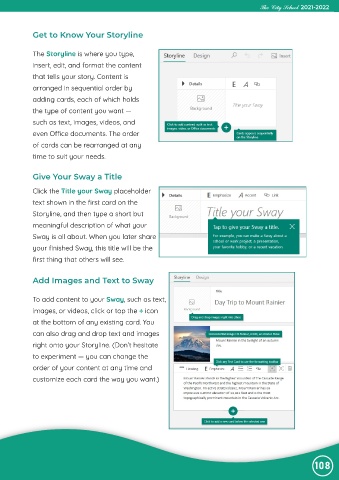
             The Storyline is where you type,
             insert, edit, and format the content

             that tells your story. Content is
             arranged in sequential order by

             adding cards, each of which holds
             the type of content you want —

             such as text, images, videos, and
             even Office documents. The order

             of cards can be rearranged at any
             time to suit your needs.


             Give Your Sway a Title

             Click the Title your Sway placeholder
             text shown in the first card on the

             Storyline, and then type a short but
             meaningful description of what your

             Sway is all about. When you later share
             your finished Sway, this title will be the

             first thing that others will see.


             Add Images and Text to Sway


             To add content to your Sway, such as text,

             images, or videos, click or tap the + icon

             at the bottom of any existing card. You
             can also drag and drop text and images
             right onto your Storyline. (Don’t hesitate

             to experiment — you can change the

             order of your content at any time and
             customize each card the way you want.)


                                                                                                                108

