


Page 109 - Computing E-Book Grade 7
P. 109
The City School  2021-2022


             Add Content to Your Sway


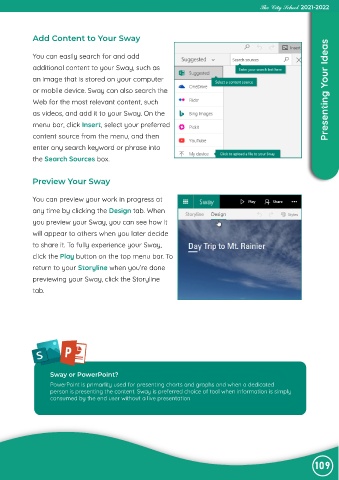
             You can easily search for and add

             additional content to your Sway, such as
             an image that is stored on your computer

             or mobile device. Sway can also search the                                                             Presenting Your Ideas
             Web for the most relevant content, such

             as videos, and add it to your Sway. On the
             menu bar, click Insert, select your preferred

             content source from the menu, and then
             enter any search keyword or phrase into

             the Search Sources box.


            Preview Your Sway


            You can preview your work in progress at

            any time by clicking the Design tab. When

            you preview your Sway, you can see how it
            will appear to others when you later decide
            to share it. To fully experience your Sway,

            click the Play button on the top menu bar. To

            return to your Storyline when you’re done
            previewing your Sway, click the Storyline
            tab.


              S


                   Sway or PowerPoint?
                   PowerPoint is primarlity used for presenting charts and graphs and when a dedicated
                   person is presenting the content. Sway is preferred choice of tool when information is simply
                   consumed by the end user without a live presentation


                                                                                                                109

