


Page 166 - Computing E-Book Grade 7
P. 166
The City School  2021-2022


             Example


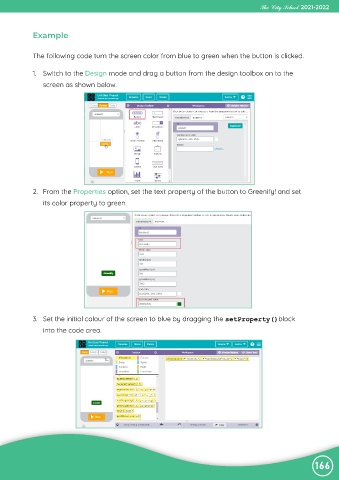
             The following code turn the screen color from blue to green when the button is clicked.


             1.  Switch to the Design mode and drag a button from the design toolbox on to the
                screen as shown below.


             2.  From the Properties option, set the text property of the button to Greenify! and set
                its color property to green.


             3.  Set the initial colour of the screen to blue by dragging the setProperty()block
                into the code area.


                                                                                                                166

