


Page 167 - Computing E-Book Grade 7
P. 167
The City School  2021-2022


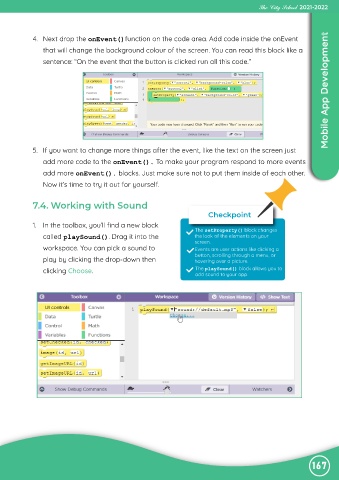
             4.  Next drop the onEvent()function on the code area. Add code inside the onEvent

                that will change the background colour of the screen. You can read this block like a
                sentence: “On the event that the button is clicked run all this code.”                              Mobile App Development


             5.  If you want to change more things after the event, like the text on the screen just
                add more code to the onEvent(). To make your program respond to more events

                add more onEvent(). blocks. Just make sure not to put them inside of each other.
                Now it’s time to try it out for yourself.


             7.4. Working with Sound
                                                                          Checkpoint
             1.  In the toolbox, you’ll find a new block
                                                                     The setProperty() block changes
                called playSound(). Drag it into the                 the look of the elements on your
                                                                     screen.
                workspace. You can pick a sound to                   Events are user actions like clicking a

                play by clicking the drop-down then                  button, scrolling through a menu, or
                                                                     hovering over a picture.
                clicking Choose.                                      The playSound() block allows you to
                                                                      add sound to your app.


                                                                                                               167

