


Page 96 - Computing E-Book Grade 7
P. 96
The City School  2021-2022


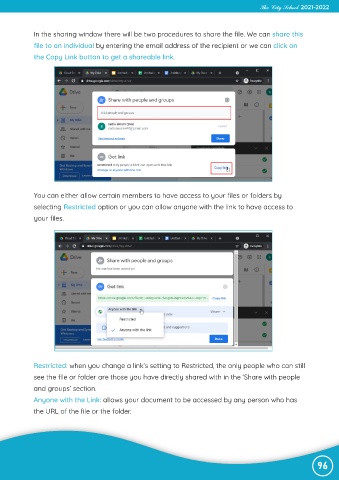
             In the sharing window there will be two procedures to share the file. We can share this

             file to an individual by entering the email address of the recipient or we can click on
             the Copy Link button to get a shareable link.


             You can either allow certain members to have access to your files or folders by
             selecting Restricted option or you can allow anyone with the link to have access to

             your files.


             Restricted: when you change a link’s setting to Restricted, the only people who can still

             see the file or folder are those you have directly shared with in the ‘Share with people
             and groups’ section.
             Anyone with the Link: allows your document to be accessed by any person who has

             the URL of the file or the folder.


                                                                                                                96

